Finally see your oldest saved TikToks first
TikTok only shows your saved videos and favorites newest-first. ScrollBack flips the order, so you can jump straight to the very first TikToks you ever saved.
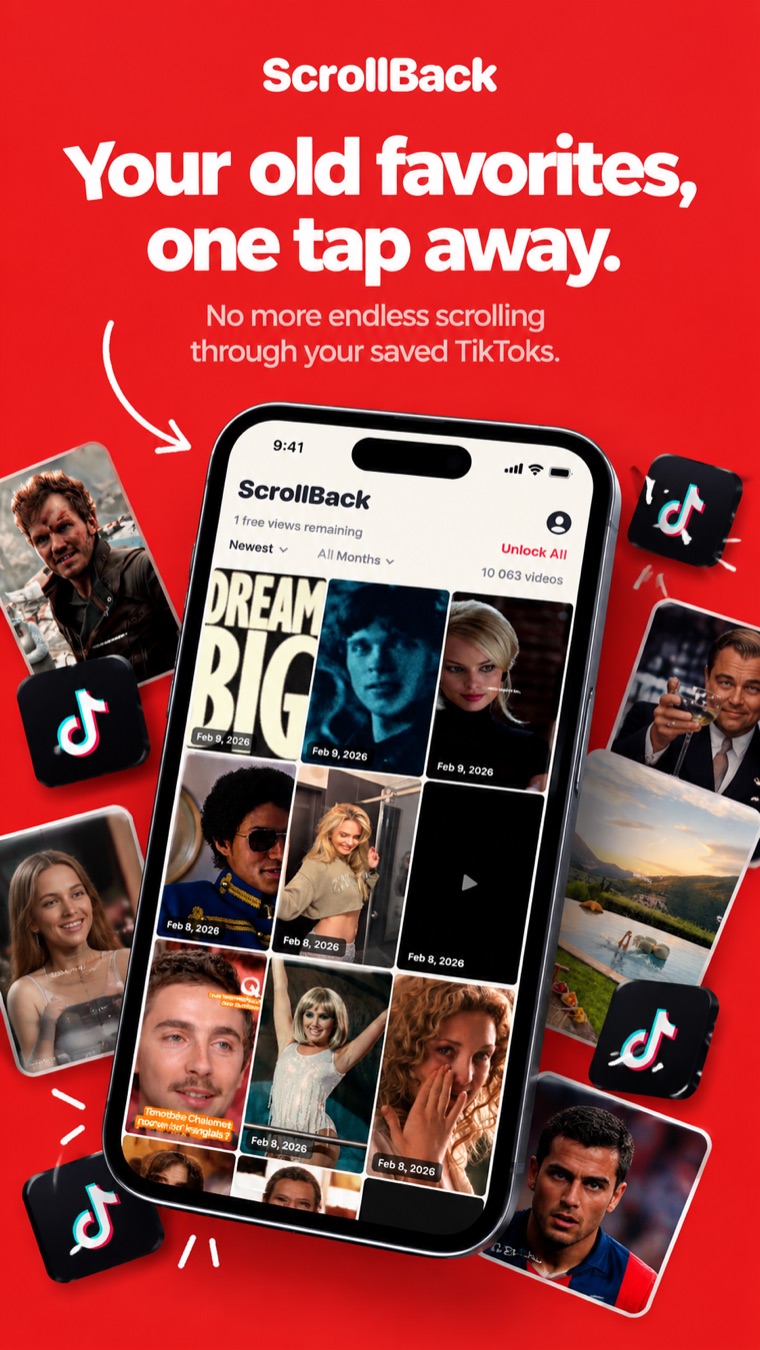
Why is it so hard to find old saved or favorite TikToks?
TikTok's Saved and Favorites collections — the same list, just named differently depending on your app version — are locked to a single order. Here's the gap ScrollBack fills.
😩 Inside TikTok
- ✕ Saved and favorited videos are always shown newest-first
- ✕ No option to sort or reverse the order
- ✕ To reach an old favorite TikTok you scroll for minutes
- ✕ No way to filter by the month you saved it
✨ With ScrollBack
- ✓ Your saved TikToks and favorites, sorted oldest-first
- ✓ Filter down to any month you like
- ✓ Tap a thumbnail and watch it right away
- ✓ Same experience on phone, tablet and desktop
How ScrollBack works
Three steps, about two minutes, no account to create.
Ask TikTok for your data
In TikTok: Settings → Account → Download your data. Pick JSON and include Likes & Favorites. It's usually ready in seconds — the app walks you through every tap.
Drop the file into ScrollBack
Upload the ZIP or JSON TikTok gave you. It's read directly in your browser — the export is never sent to a server.
Scroll back in time
Your saved TikToks and favorites appear as a grid, oldest-first. Tap any thumbnail to play it full screen and swipe through your history.
Built for one job — and it nails it
Everything the iPhone app does, now in your browser.
Oldest-first order
Start from your very first saved or favorited TikTok instead of your most recent one.
Filter by month
Jump to any month you were saving or favoriting videos and see just those.
Full-screen player
Swipe vertically through your favorite TikToks, the way you already scroll.
Phone and desktop
One responsive app that fits a phone screen and a big monitor alike.
Your export stays yours
The file is parsed in your browser and stored on your device only.
No signup wall
You're in straight away — add an email later only if you want to.
Frequently asked questions
Everything about seeing and sorting your oldest saved and favorite TikToks.
How do I see my oldest saved TikToks?
TikTok always lists your saved videos newest-first and gives you no way to reverse the order, so the oldest ones sit at the very bottom of an endless list. ScrollBack reads your TikTok data export and sorts your saved videos oldest-first, so your earliest favorites appear at the top and you can open them instantly. You can do it in your browser at scroll-back.com — no download required.
Do I need to download an app to use ScrollBack?
No. ScrollBack runs directly in your browser on phone, tablet and computer — just open the web app and import your TikTok data export. There is also a free iPhone app if you prefer a native experience; both share the same account and subscription.
Can you sort TikTok favorites by oldest first?
Not inside the TikTok app — it has no sort option for saved or favorited videos. ScrollBack is built specifically for this: it flips your favorites list so the oldest TikToks come first, and it also lets you filter by the month you saved them. It works the same whether your app calls the collection Saved or Favorites.
How do I get my TikTok data export?
In TikTok, go to Settings and privacy → Account → Download your data. Choose the JSON format and make sure 'Likes & Favorites' is included, then tap Request data. The file is usually ready within seconds. ScrollBack walks you through every tap and accepts the ZIP file as-is.
Is my TikTok data safe with ScrollBack?
Your export is parsed directly in your browser and stored on your own device — it is never uploaded to a server. ScrollBack never posts, deletes or changes anything on your TikTok account; it only helps you view the videos you already saved.
How do I find an old video I saved a long time ago on TikTok?
Instead of scrolling for minutes to reach the bottom of your saved list, open ScrollBack, sort oldest-first and jump straight to your earliest saves. You can also filter down to the exact month you saved the video.
Is ScrollBack free?
Yes, you can start for free — the first 5 video views cost nothing and no account is required. Unlimited access costs $29.99 once and is yours for life, with no subscription and nothing to cancel. There is also a $4.99 weekly plan if you only need it for a few days.
What is the difference between saved TikToks and favorite TikToks?
There is none — they are two names for the same collection. TikTok labels it Favorites in some versions of the app and Saved in others, and its data export calls the same videos your Favorite Videos. Whichever word you use, ScrollBack sorts that list oldest-first for you.
How do I see my oldest favorite TikToks?
Download your TikTok data export in JSON with 'Likes & Favorites' included, then open it in ScrollBack at scroll-back.com. Your favorite TikToks are re-sorted oldest-first, so the videos you added to your favorites years ago appear at the top instead of being buried under everything you have favorited since.
Is there a TikTok favorites viewer that shows the oldest first?
Yes — ScrollBack is exactly that. It is a favorites viewer for TikTok that reads your own data export and displays every saved and favorited video oldest-first, with a month filter and a full-screen player. It works in any browser and there is a free iPhone app too.
What devices does ScrollBack work on?
The web app works in any modern browser on iPhone, Android, iPad, Mac and Windows. A native app is also available on the Apple App Store for iPhone.
How-to guides
Step-by-step answers to what TikTok itself can't do — sorting, filtering and digging out videos you saved years ago.
How to see your oldest saved TikToks
TikTok always shows saved videos newest-first with no sort button. Here's the working way to see your oldest saved TikToks first, in about two minutes, on any phone or computer.
How to sort TikTok favorites by oldest first
There is no sort option inside TikTok. Here's how to sort your favorited and saved videos oldest-first using TikTok's own data export — step by step, free, no password required.
How to find an old TikTok you saved a long time ago
You saved a video months or years ago and can't scroll back to it. Here are four ways to find it again — including the one that actually works when you have thousands of saves.
How to download your TikTok data
The exact taps to request your TikTok data export in JSON, what each option means, how long it takes, and what's inside the ZIP when it arrives.
How to open your TikTok data export
TikTok sent you a ZIP full of JSON and it means nothing on its own. Here's what the files are, which one holds your saved videos, and the fastest way to turn it into something you can actually watch.
How to reverse the order of your saved TikToks
TikTok locks your saved videos to newest-first. Here's how to flip the list end to end so your very first saves are at the top — and switch back whenever you want.
Scroll back to your very first saved TikTok
Stop scrolling for minutes to find one old video. Get ScrollBack and see your saved TikToks and favorites oldest-first.